1
/
из
4
DOSKA
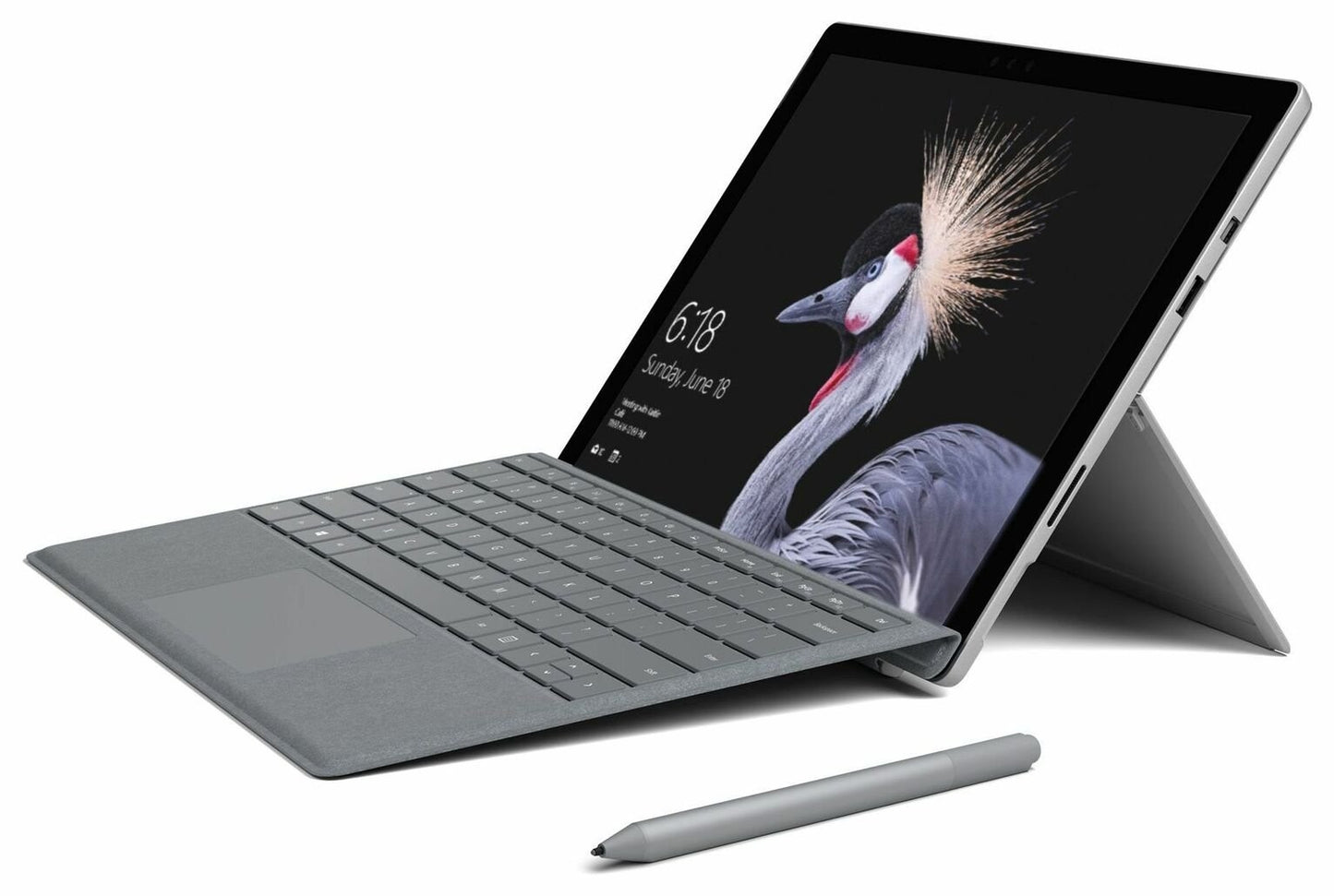
Microsoft Surface Pen - Charcoal
Microsoft Surface Pen - Charcoal
Обычная цена
£36.02 GBP
Обычная цена
Цена со скидкой
£36.02 GBP
Налоги включены.
Количество
Не удалось загрузить сведения о доступности самовывоза
WELCOME TO DOSKA RESTORE SHOP
Tested • Cleaned • Refurbished • Ready to Use
Refurbished
Professionally restored & tested
Professionally restored & tested
UK Shipping
Fast dispatch from UK
Fast dispatch from UK
Microsoft Surface Pen - Charcoal
📄 Description
**Surface Pen** is better and faster than ever, with **tilt for shading**, greater sensitivity, and virtually no lag to help you capture your thoughts and get more done. Think with Ink—Windows and Office 365 give **Surface Pen** more power than it ever had with paper. Strikethrough words to delete, circle text to select it, highlight using Ink Editor—even replay the sequence of mark-ups from others.
**Easy note taking**—Taking and managing notes with OneNote is easier than ever. Do homework, replay notes to better remember your thoughts, and write out math equations that solve themselves using **Ink Math Assistant**—all in one place.
**No printing required**—Streamline editing documents with digital inking. Use your **Surface Pen** to annotate and highlight text and the built-in digital ruler to set things straight.
**Tilt support**—Tilt the tip to artistically shade your drawings—just like you would with a graphite pencil.
**Write and draw naturally**: Precisely sketch and shade with 4,096 pressure points that respond to the lightest touch. Ink flows from the tip of **Surface Pen** to your screen with virtually no lag, and the eraser rubs away mistakes.
**Bring your vision to life**: Compose a song, make an animated short, take notes, and draw 3D CAD designs. Use **Surface Pen** with apps like **OneNote**, **Microsoft Office**, **Adobe Suite**, **Bluebeam Revu**, **Drawboard**, **CorelDRAW**, and **Staffpad**.
**Easy note taking**—Taking and managing notes with OneNote is easier than ever. Do homework, replay notes to better remember your thoughts, and write out math equations that solve themselves using **Ink Math Assistant**—all in one place.
**No printing required**—Streamline editing documents with digital inking. Use your **Surface Pen** to annotate and highlight text and the built-in digital ruler to set things straight.
**Tilt support**—Tilt the tip to artistically shade your drawings—just like you would with a graphite pencil.
**Write and draw naturally**: Precisely sketch and shade with 4,096 pressure points that respond to the lightest touch. Ink flows from the tip of **Surface Pen** to your screen with virtually no lag, and the eraser rubs away mistakes.
**Bring your vision to life**: Compose a song, make an animated short, take notes, and draw 3D CAD designs. Use **Surface Pen** with apps like **OneNote**, **Microsoft Office**, **Adobe Suite**, **Bluebeam Revu**, **Drawboard**, **CorelDRAW**, and **Staffpad**.
⭐ Key Features
- **Tilt for shading** and enhanced precision
- **4,096 pressure points** for natural drawing and writing
- **Virtually no lag** for smoother performance
- **Windows and Office 365 integration** for enhanced productivity
- **Ink Math Assistant** to solve equations directly
- **Digital ruler** for precise annotation and editing
- **Supports a wide range of apps** like OneNote, Microsoft Office, Adobe Suite, and more
- **Choose from four colors**: Platinum, Black, Poppy Red for personalization
⚙️ Specifications
- **Manufacturer's Guarantee**: 1 year
- **Color options**: Platinum, Black, Poppy Red
- **EAN**: 889842202632
🚚 Delivery & Returns
- Fast UK dispatch after cleared payment
- Secure packaging for safe delivery
- 30-day returns — we’re here to help
Please note: The box was opened for testing and verification.
Поделиться